
This article describes how to create a quality for carpet and velvet machines. The Qualities module is available under Definitions (section SCHEDULING), open Quality related, then Qualities.
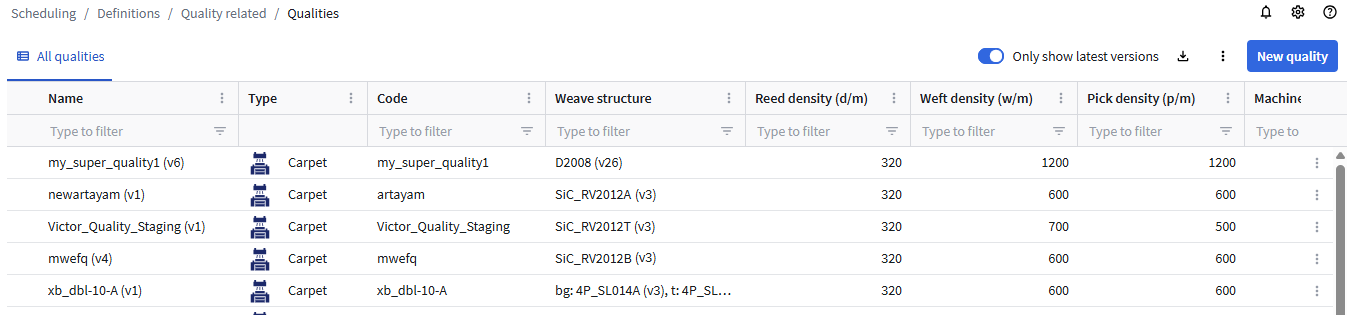
Weave structures for double width are separated by a comma. Bottom, top and background weave structures are indicated with the letter B, T, respectively A in their name. (A from 'achtergrond' or 'arrière-plan')
When you use the quality for double width in a production order, the bottom carpet will be processed with the bottom weave structure (e.g. SL012B), the top with the top weave structure (e.g. SL012T) and the background (background rest, background free, ... ) with the background weave structure (e.g. SL012A).
Instructions to create a double width production order can be found in Create a double width production order.
Quality settings are available via the top right corner. Click and the Settings. For more info, see the Quality Settings article.
To create a quality, click the New quality button.

Tabs
General tab
- Enter a Name for the quality.
- Select Single or Double width weave structure.
- In case of a single width weave structure, only the field Weave structure appears.
- In case of a double width weave structure, the fields Bottom, Top and Background weave structure appear.
- Click Select in a Weave structure to select one.
Missing a weave structure? Please contact us or submit a ticket! - Fill in Reed density, Weft density and Pick density.
Machines tab
Here you can choose the applicable machines for this quality, this will facilitate the creation of a production order later.
Exceptions tab
You can create exceptions that only apply for certain machines or yarns (for yarn consumption calculations).
Selvedges tab
Appears after selecting a Weave structure for velvet machines. If the selvedges are not configured on the machine, you can specify them here.
Post-processing tab
This tab appears after selecting a Weave structure for velvet machines. Sometimes post-processing is necessary for velvet. You can specify the rules here.
Alternative qualities
This tab appears after selecting a Weave structure for carpet machines.
Select the alternative qualities that can be used.
Conditional designs tab
See Add conditional designs to a quality for more information.
Finishings tab
See Create a finishing for more information.
Optional settings tab
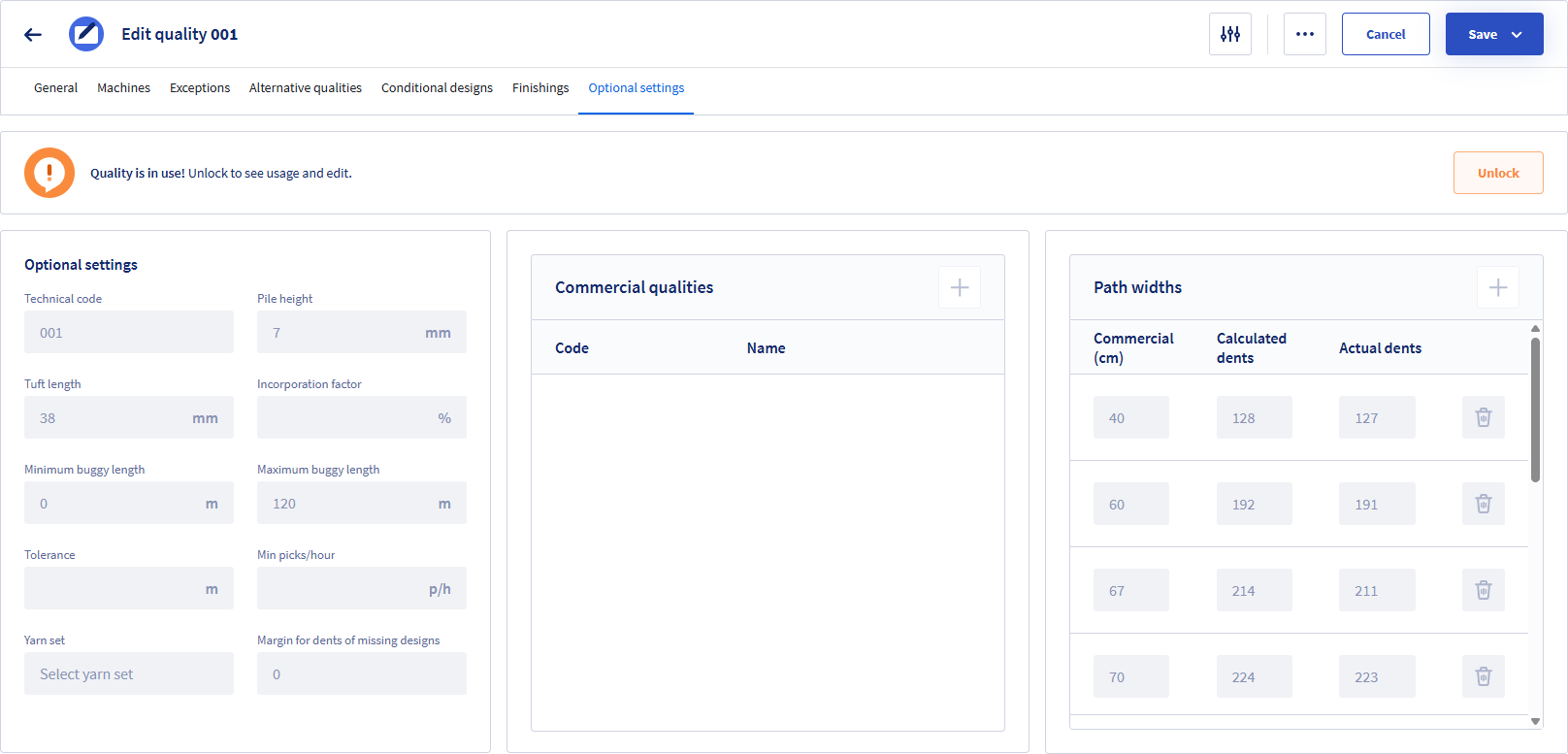
Some extra settings can be provided here. These settings are necessary to be able to calculate yarn consumption.
Optional settings
The settings Minimum buggy length, Maximum buggy length, Tolerance are used to have better suggestions when creating orders.
Commercial qualities
A commercial quality is identified by a Code and Name. Commercial qualities apply to the use of an ERP system.
Path widths
These settings also apply to the use of an ERP system.
Since we only have the commercial width of the designs, we calculate the technical width.
If the design is uploaded later, the width of the design should match the width of the Actual dents. If the number of calculated dents and actual dents are the same, you don't need to specify this.
Related articles
- How to edit a quality is described here: Edit a quality.
- Weft selection that appears on the General tab is described in Creating production orders with weft selection.