
A colored yarn set consists of a Color set and a Yarn set. A color set shows which colors are on which creel position, a yarn set show which yarns are on which creel position.
To create a Color set, see the article Creating a color set.
To create a Yarn set, see the article Creating a yarn set.
Once you have a yarn set and a color set, you can create Colored yarn sets and Weft colored yarn sets by combining a Color set and a Yarn set.
This can be done in the Colored yarn sets and Weft colored yarn sets modules (in the SCHEDULING under Definitions and then Yarn related).
- Under Definitions (section SCHEDULING), open Yarn related, then (Weft) Colored yarn sets.
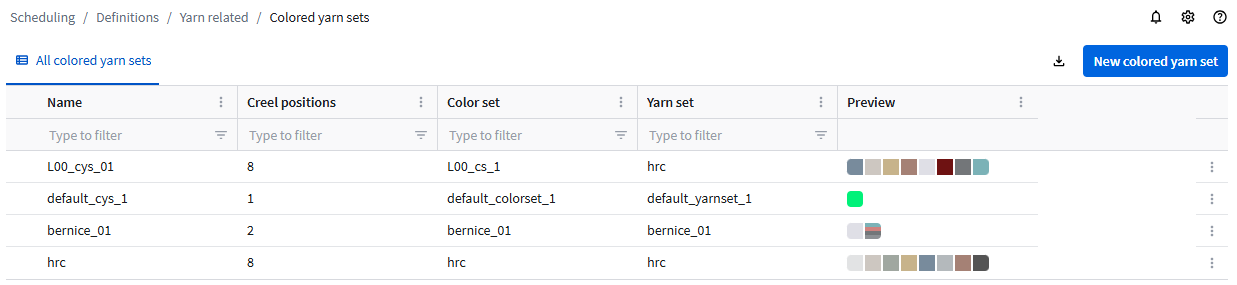
- Click the New colored yarn set button.
- Enter a Name.
- Select a Color set and a Yarn set.
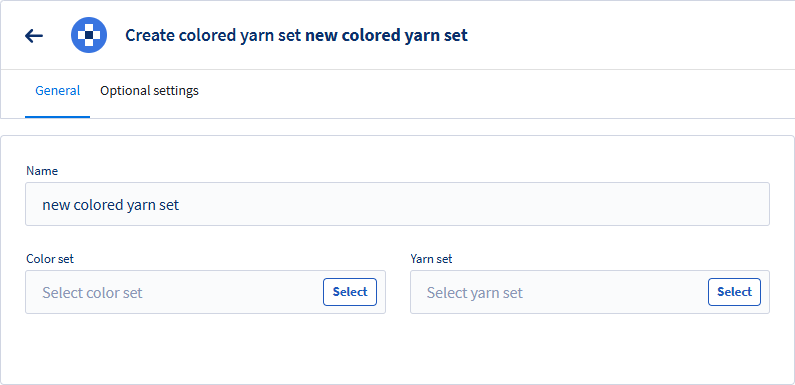
- In the Optional settings tab, you can add the Technical code of the colored yarn set.
The Optional settings tab is not available for Weft colored yarn sets. - Click Save.
When finished, the (Weft) Colored yarn set shows the color and the yarn on each creel position:
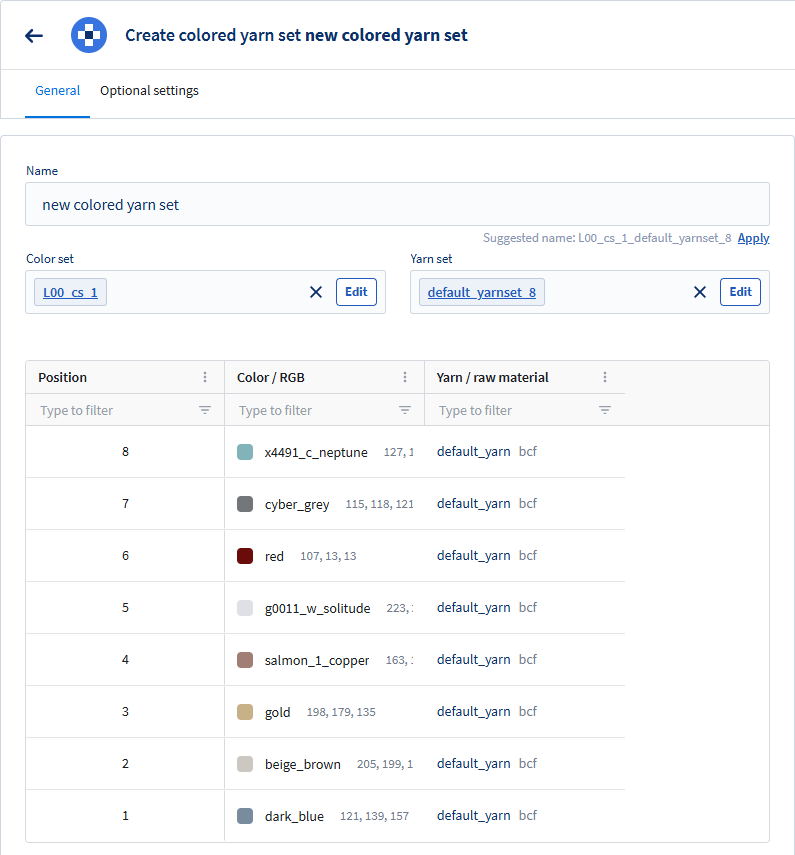
You can now use your (Weft) Colored yarn set in a creel. In the Create a creel article, you can find out how you can create a creel.
This module shows the Custom settings button  in the top right corner. For the Name generation pattern, refer to: Name generation pattern.